I recently published a LinkedIn post with an image without opening the LinkedIn composer.
The post itself looked completely normal. That was the point.
Behind it, I had generated the content and visual, completed the OAuth setup, uploaded the image, and sent the post through LinkedIn's official API. When the published URL opened and I saw the text and image in the feed, my first thought was simple: it works.
My second thought was more useful: I had not automated LinkedIn publishing yet. I had only automated the final click.
A single successful API request does not create a content system. It does not know what I believe, what I am building, what I published last week, which claims I can support, or whether a new post sounds like me. It cannot decide when to publish, recover from an expired token, or know when a human should approve the draft.
That realization changed the problem.
The real job was not to connect an AI model to LinkedIn. It was to build a small editorial operation with memory, judgment, and a reliable publishing action at the end.
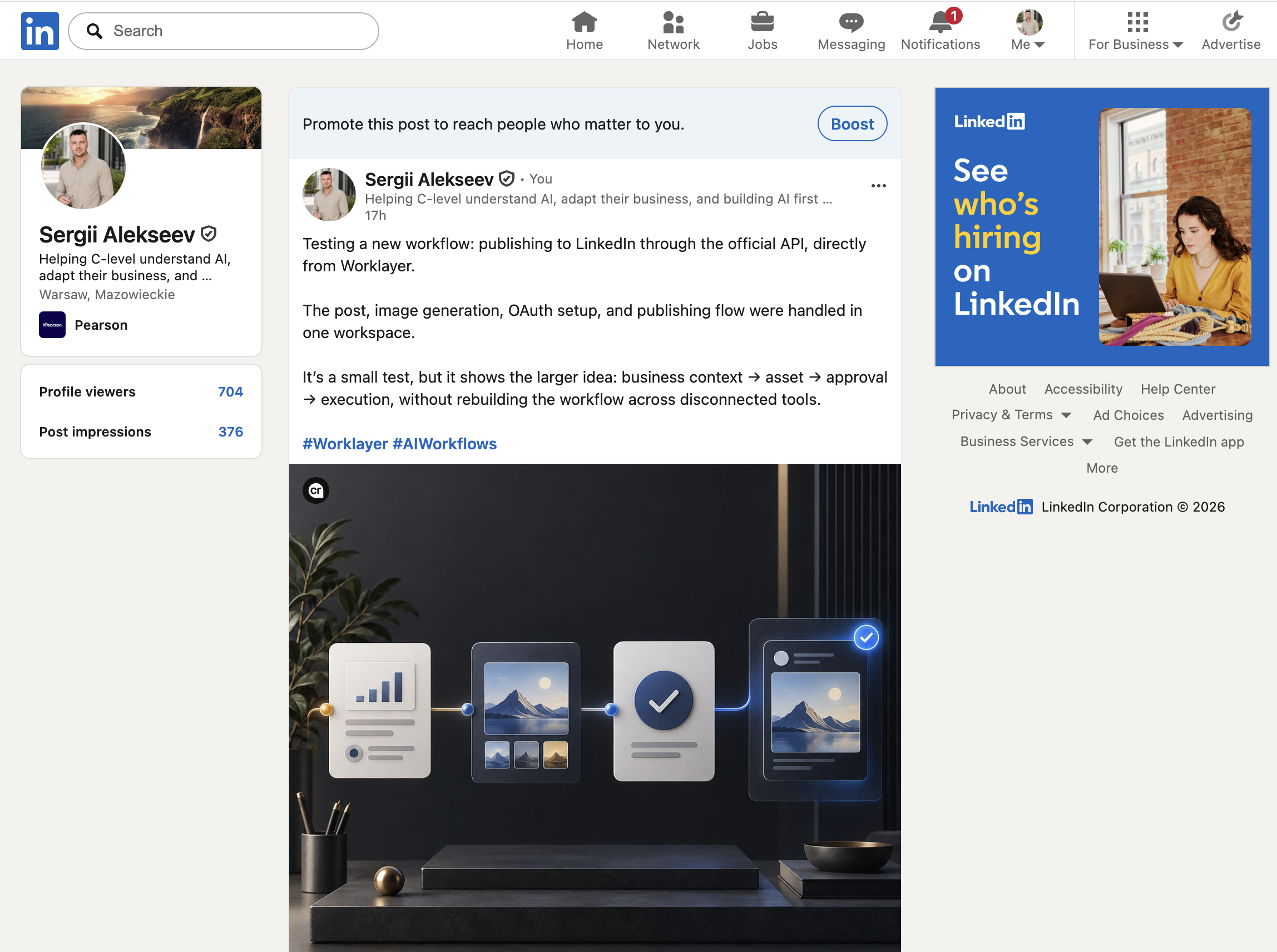
The publishing action was solved. The context problem was not.
LinkedIn already provides the mechanical pieces. Its Posts API supports organic text, image, video, document, and multi-image posts. For a personal profile, the relevant permission is w_member_social, which lets an application publish on behalf of the authenticated member.
That is enough to create a post. It is not enough to run a personal publishing system.
If I asked an agent to “write something about AI and publish it every morning,” it would eventually produce the exact kind of content I do not want: polished, generic, repetitive, and disconnected from what I am actually learning.
The agent needed durable answers to questions that normally live in my head:
- What am I building now?
- Who am I trying to help?
- Which ideas are mine, and which facts require a source?
- What have I already published?
- Which topics, hooks, and calls to action are becoming repetitive?
- What should never be published without my approval?
- What counts as success beyond “the API returned 201”?
I had already solved a version of this problem for another product.
My Instagram workflow gave me the missing architecture
For MyPitch, I had built an Instagram automation workflow around a deliberately small set of files. Looking at that system again made the LinkedIn design much clearer.
The useful part was not one giant prompt. It was the separation of responsibilities.
The MyPitch Instagram folder contains six kinds of durable memory:
source-context.mdexplains the product, audience, positioning, approved claims, and language guardrails.strategy.mddefines the role of the channel, editorial themes, formats, voice, visual direction, and content mix.calendar.mdrecords every publication and failure, creating an anti-repeat memory for topics, hooks, formats, calls to action, and visual choices.image-prompt-template.mdturns visual production into a repeatable system instead of a new art-direction debate every day.- A reference library gives the image workflow approved characters and visual material.
scheduled-task-prompt.mdacts as the operating procedure: research, choose the idea and format, draft, review, create media, publish, verify, and update the log.
Each file has one job. Together, they give the agent enough context to act without turning the workflow into an unreadable prompt.
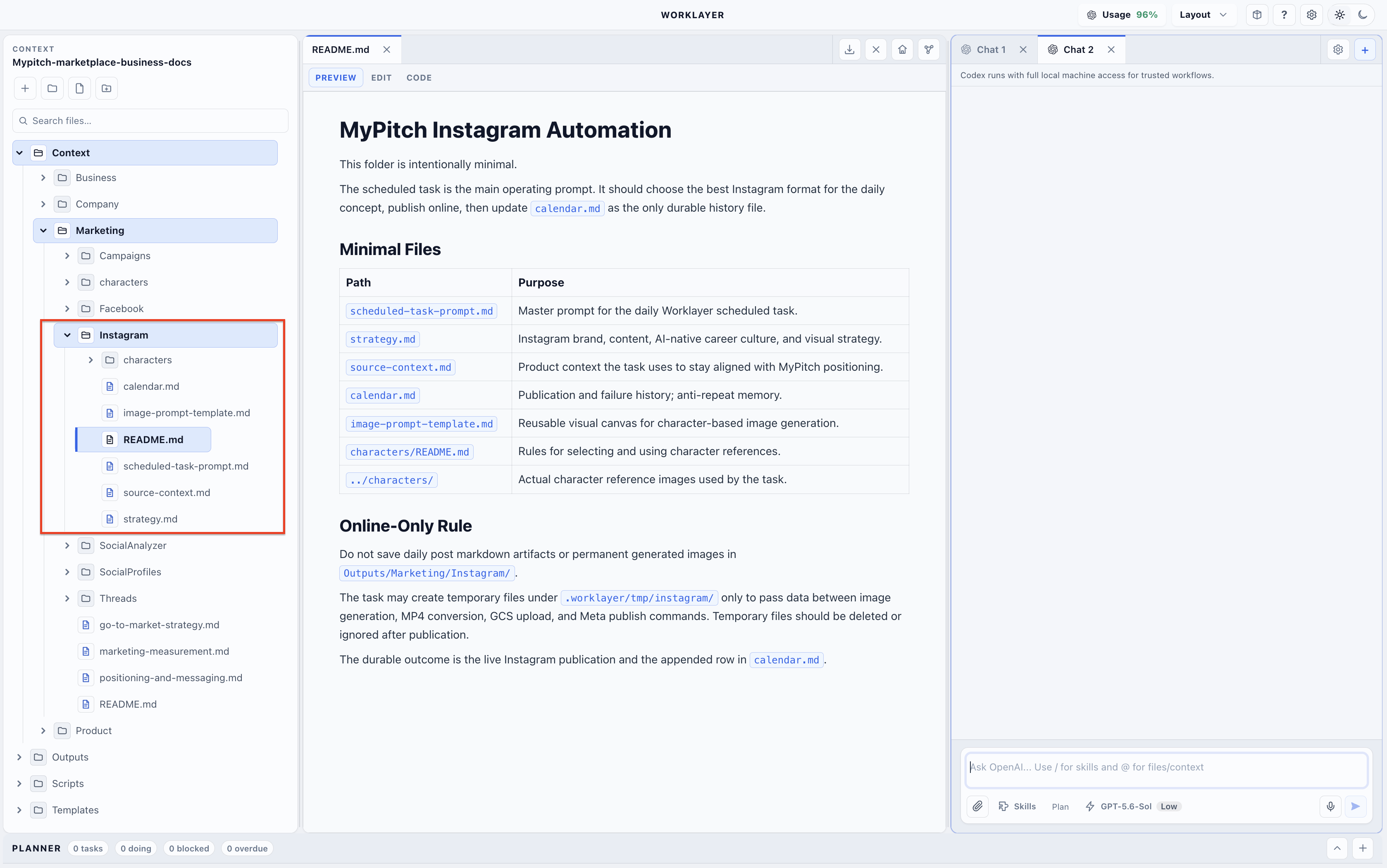
The calendar turned out to be especially important. Most content automation systems remember the brand but forget the recent past. As a result, the copy may be on-brand while still repeating the same point every three days.
A simple publication log gives the agent a working memory. Before creating anything new, it can inspect recent topics, hooks, formats, and outcomes. After every run, it appends either a successful publication or a precise failure. The log becomes both editorial memory and operational evidence.
This led me to a simple model for LinkedIn:
context → idea → draft → review → media → LinkedIn API → publication history
The API belongs near the end, not at the beginning.
There are three practical ways I would run this workflow today
Once I separated editorial memory from the publishing action, I could see three implementation paths. They use the same context and publishing logic, but they solve different levels of the problem.
| Option | How context works | Where credentials live | When it can run | Main trade-off |
|---|---|---|---|---|
| Codex / ChatGPT Scheduled Task in the cloud | The task uses its saved prompt, uploaded files, skills, and connected tools. Uploaded files are snapshots: changing a local source file does not automatically update the copy available to the task. | A cloud task cannot open a local .env by file path. Publishing needs a connected tool or another secure service that holds the LinkedIn credentials. | It can run without my laptop when every required file and tool is cloud-accessible. | Fastest setup and lowest maintenance, but the context is less dynamic unless I deliberately update the uploaded files or connect a live source. |
| Worklayer on my computer | Context, templates, publication history, scripts, and outputs live together in one local workspace. The scheduled task reads the current files and can update the history after every run. | The LinkedIn variables remain in the root .env file inside the workspace and are available only to the local publishing action. | Only while the computer is awake and Worklayer is running. Missed runs are recorded on the next launch. | The simplest context-rich workflow for me, but it is not an always-on cloud service. |
| Custom web application with Agents API | Each user gets dynamic context and publication history in application storage. Agent sessions can use tools, MCP servers, and a hosted or self-hosted environment. | OAuth tokens are encrypted in a server-side secret store; the agent receives a narrow publishing function rather than raw secrets. | An application scheduler or queue can run it continuously without depending on a user's computer. | The most complete production architecture, but significantly more complex because I must build OAuth, storage, approvals, retries, webhooks, monitoring, and the user interface. |
There is no universal winner. The first option minimizes setup, the second gives me the strongest local context with the least product engineering, and the third provides the most reliable multi-user experience at the highest implementation cost.
1. Codex is the fastest path for my own personal workflow
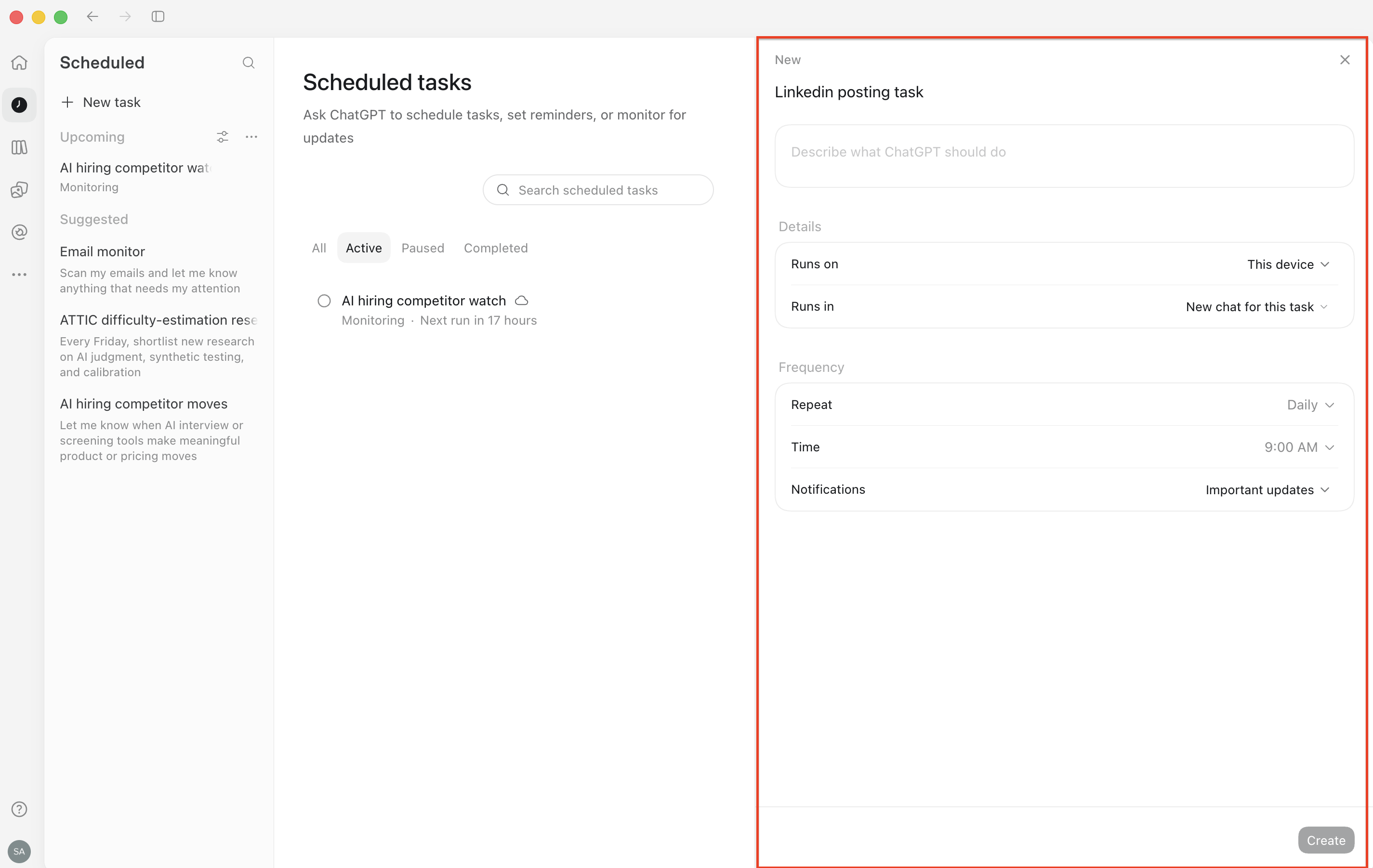
For the lowest-friction cloud setup, I would start with a Codex or ChatGPT Scheduled Task and give it a durable prompt, uploaded context files, and a secure publishing tool.
The main limitation is context freshness. Files uploaded to a web task are not a live mirror of the files on my computer. If I change strategy.md or add a new row to the local publication calendar, I need to upload the new version or keep that context in a connected service the task can read.
Credentials create another boundary. A cloud task cannot follow a path such as /my-workspace/.env on my laptop. I would not upload a secret file as task context. Instead, I would expose a narrow connected publishing tool that keeps the LinkedIn token outside the model context.
There is also a local desktop variant. A project-scoped Scheduled Task can work directly with the project directory or an isolated worktree. In that mode, the prompt can reference the exact local workspace and credential location available to the publishing script, but the computer must remain on and the desktop application must be running. At that point, the runtime trade-off starts to look similar to Worklayer.
The Codex CLI and IDE extension are still useful for building and testing the prompt, skill, and publishing script, but they do not provide the Scheduled management interface themselves.
I would also avoid full autopilot at the beginning. My first scheduled version would create a draft, generate or select an image, run its checks, and ask me to approve. Only after several clean runs would I allow a narrow, predictable content series to publish without intervention.
2. Worklayer turns the same files into an operating workspace
The second path is the one most connected to what I am building with Worklayer.
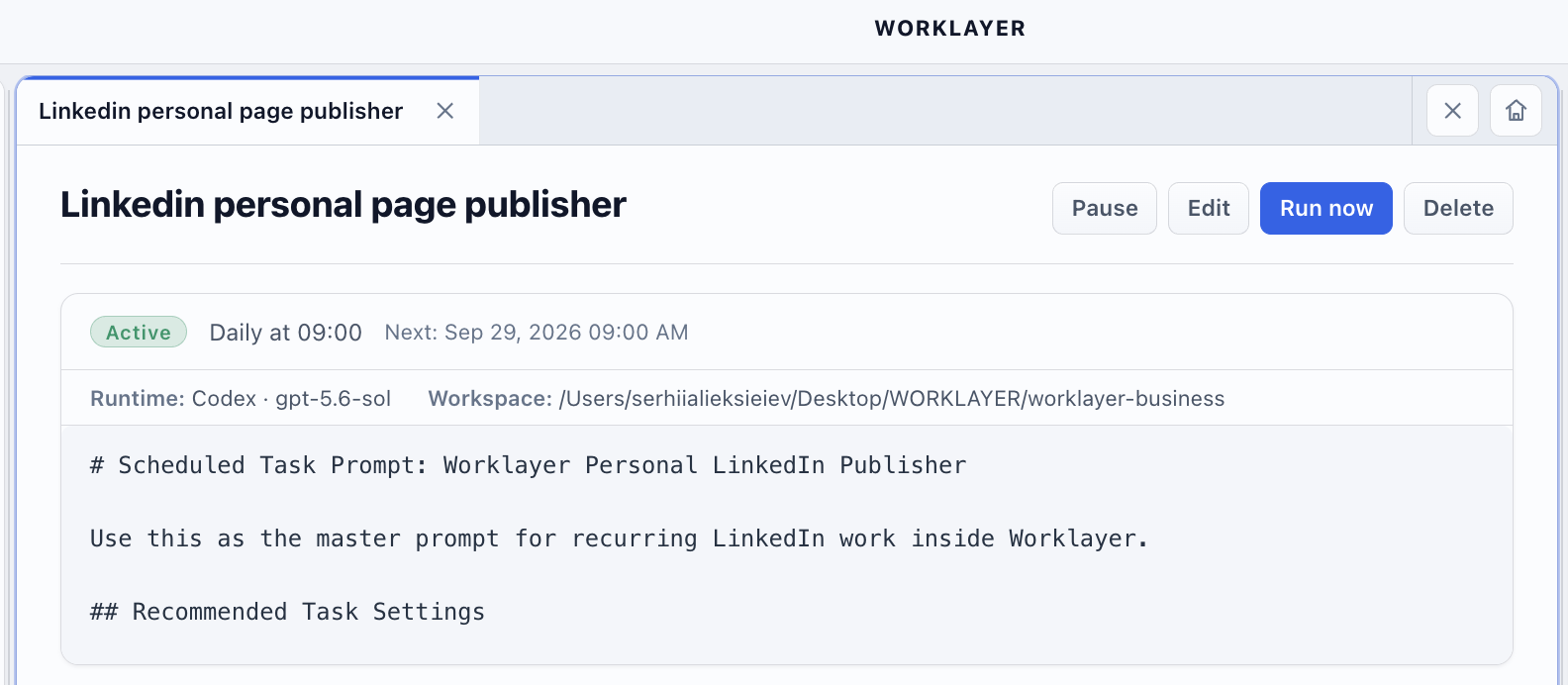
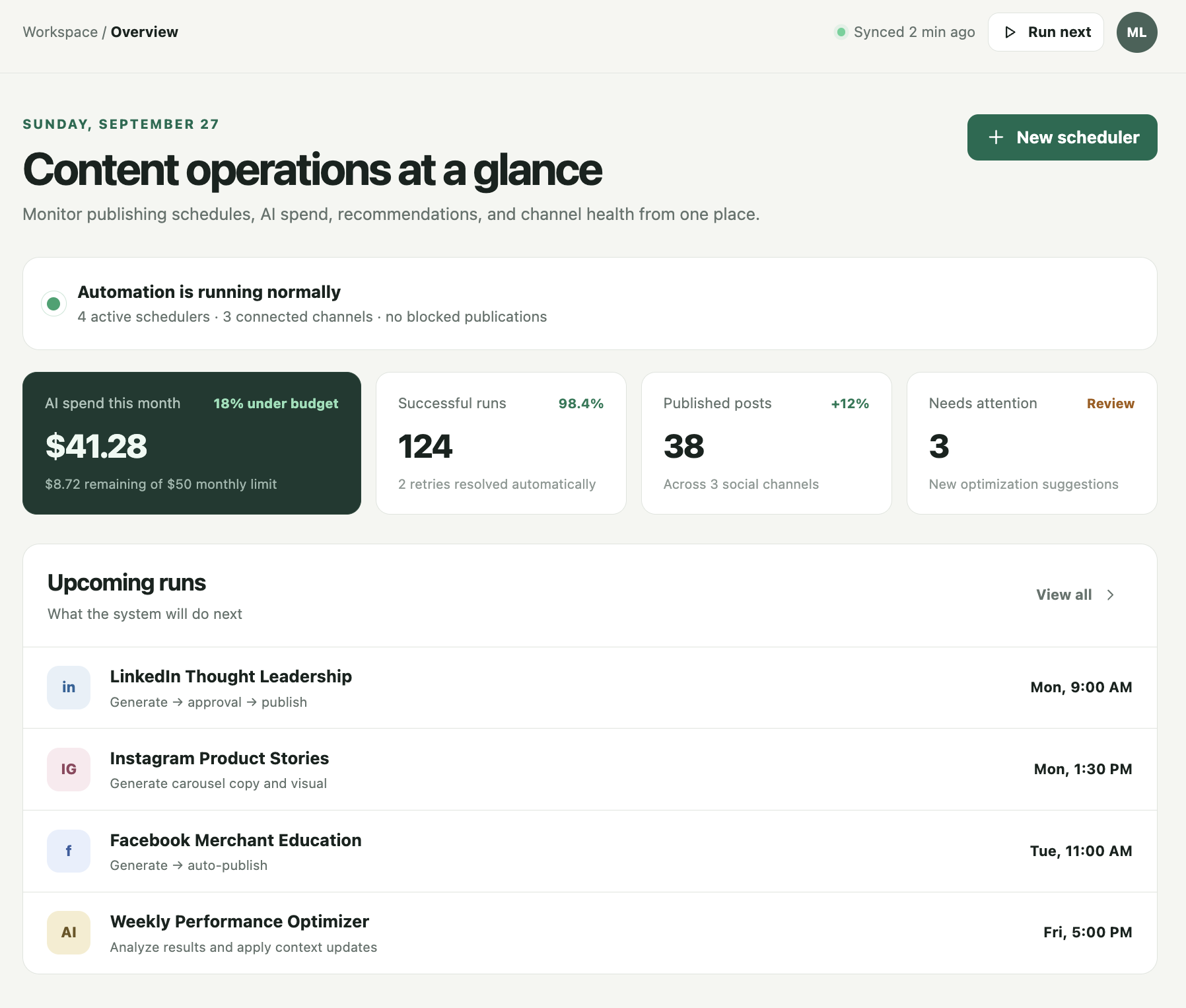
Worklayer is a local-first AI workspace where context, templates, tasks, outputs, connected tools, and scheduled AI work live together. Instead of reconstructing my publishing setup from a terminal and several folders, I can make the system visible and manageable inside one workspace.
The structure maps naturally:
Contextstores my positioning, audience, content strategy, proof, and publication history.Templatesstores repeatable article, post, visual, and review structures..envstores secrets for the local publishing action; secret values never belong in prompts or content files.- Scheduled Tasks run the selected provider and model on an hourly, daily, or weekly cadence.
- Run history makes failures, outputs, duration, provider, and model inspectable.
This matters because automation is rarely difficult only once. The real operational cost appears later: a token expires, a platform changes an API version, a prompt starts drifting, or the agent repeats an old topic. A visible workspace makes those failures easier to understand than a hidden cron job with an unclear log.
Worklayer is still a local desktop product, so the application must be running when the scheduled task is due. Missed runs can be recorded, but a local application is not the same as an always-on cloud service. I see that as a deliberate boundary for an individual or small-team workflow, not something to disguise.
3. OpenAI's Agents API is the path to a multi-user web product
The third path becomes relevant when the workflow is no longer just for me.
If I wanted to let many people connect their LinkedIn accounts, store their own brand context, review drafts, and manage schedules in a browser, I would build a web application around OpenAI's Agents API.
The Agents API provides a managed Codex harness with durable sessions, tools, optional sandbox environments, context compaction, and recovery. A session can keep the state of the agent's work across turns, while webhooks can tell the application when the session starts, needs an external action, becomes idle, or fails.
But the API does not remove the rest of the product architecture.
My application would still need:
- a secure server-side OAuth flow for every LinkedIn user;
- encrypted token storage and expiry tracking;
- a scheduler or queue that decides when to start a publishing run;
- storage for each user's brand context and publication history;
- a server-side
publish_linkedin_postfunction that the agent can call; - an approval interface for drafts and images;
- webhook verification, retries, idempotency, and an audit log.
That distinction is important. The Agents API is the agent runtime. It is not a LinkedIn connector, a secret manager, or a cron service.
The clean architecture would look like this:
scheduler → agent session → context and tools → human approval when required → LinkedIn publishing function → webhook and audit log
LinkedIn authentication is the part I would never hide behind the agent
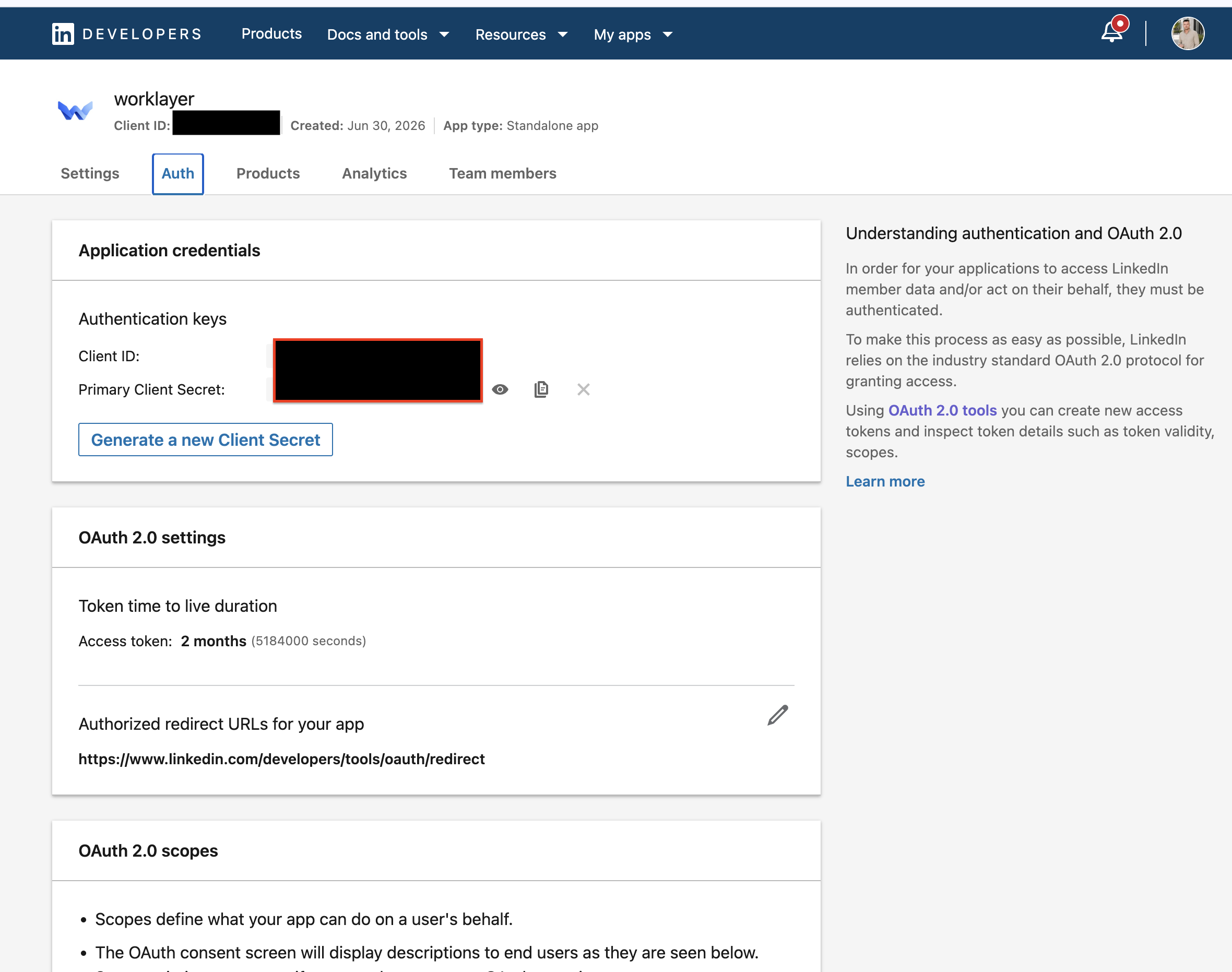
For personal publishing, LinkedIn uses a three-legged OAuth authorization flow. The member signs in on LinkedIn, approves the requested permission, the application receives an authorization code, and the backend exchanges it for an access token.
In my local workspace, the publishing workflow refers to variables such as:
LINKEDIN_CLIENT_ID
LINKEDIN_CLIENT_SECRET
LINKEDIN_REDIRECT_URI
LINKEDIN_ACCESS_TOKEN
LINKEDIN_ACCESS_TOKEN_EXPIRES_AT
LINKEDIN_OAUTH_SCOPE
LINKEDIN_PERSON_URN
The agent may know that these variables exist. It should not copy their values into a prompt, article, run log, screenshot, or generated artifact.
Token expiry also changes the design. LinkedIn does not issue permanently valid access tokens, and programmatic refresh tokens are only available to eligible partners. A reliable workflow must detect expiration or a 401, stop publishing, and send the user back through authorization when necessary.
I would also keep LinkedIn's required API version header in configuration instead of copying a version number from an old tutorial. Platform versions are operational dependencies, not static content.
The safest automation starts with approval, not autonomy
It is tempting to treat “no human involved” as the final measure of success. I do not think that is the right goal for a personal brand.
My name is attached to the output. A technically valid post can still contain a weak idea, an unsupported claim, the wrong tone, or a sentence I would never say. Publishing faster is not useful if the system gradually makes the account less credible.
I would introduce autonomy in stages:
- Publish one test manually through the API and verify the final text, image, author, visibility, and URL.
- Schedule draft creation while keeping human approval before publication.
- Log every topic, hook, visual, CTA, result, and failure.
- Review the first runs and narrow the rules that produce inconsistent output.
- Allow automatic publishing only for formats with clear boundaries and low reputational risk.
The first metric is not reach. It is reliability: did the workflow produce the intended artifact, request approval at the correct moment, publish exactly once, and record what happened?
Only after that would I evaluate saves, comments, profile visits, qualified conversations, and whether the system helps me publish useful ideas more consistently.
What I actually learned from the experiment
I began with a technical question: can I publish to my personal LinkedIn profile through the API?
The answer is yes.
But the more valuable answer is that publishing is the smallest layer of the system.
The durable advantage comes from combining four things:
- context that reflects what I actually believe and build;
- memory that prevents repetition and records failures;
- a workflow that separates creative judgment from deterministic API actions;
- an approval boundary that matches the risk of the content.
Codex gives me the fastest personal setup. Worklayer turns that setup into a visible local operating system. The Agents API creates a path toward a cloud product for multiple users.
The same context can power all three.
That is the part I find most interesting. Once the editorial knowledge is stored outside a disposable chat, I can change the runtime without rebuilding the entire way the agent thinks.
The future of content automation is not an AI that posts more often.
It is an agent that understands what is worth saying, knows what has already been said, and can move from an idea to a verified publication without losing human judgment along the way.
If this workflow would be useful to you, tell me which version you want to see next: the local Codex setup, the Worklayer workspace, or the multi-user Agents API architecture. I can publish the actual file structure and a sanitized scheduled prompt without exposing credentials.
Ready to ship faster?
Download Worklayer for macOS and get early access to the AI workspace built for product managers.
Download Worklayer